Learn how to style Learnosity components.
Learnosity is designed with a neutral design so that it blends seamlessly with your existing platform and styling. This also provides a great starting point on which to apply further styling with CSS, to fit perfectly with your design vision.
All Learnosity APIs use scoping to prevent any Learnosity CSS from affecting the host page. This has the added benefit of allowing the host page to specifically target and style the component using standard CSS class selectors.
All API's have a .lrn class at the root level, as well as an API-specific class. For example .lrn_widget is at the root level of the Questions API, .lrn-assess for the Assess API and .lrn-qe for the Question Editor API.
Examples
These live demos show how a Learnosity assessment can be fully restyled with standard CSS.
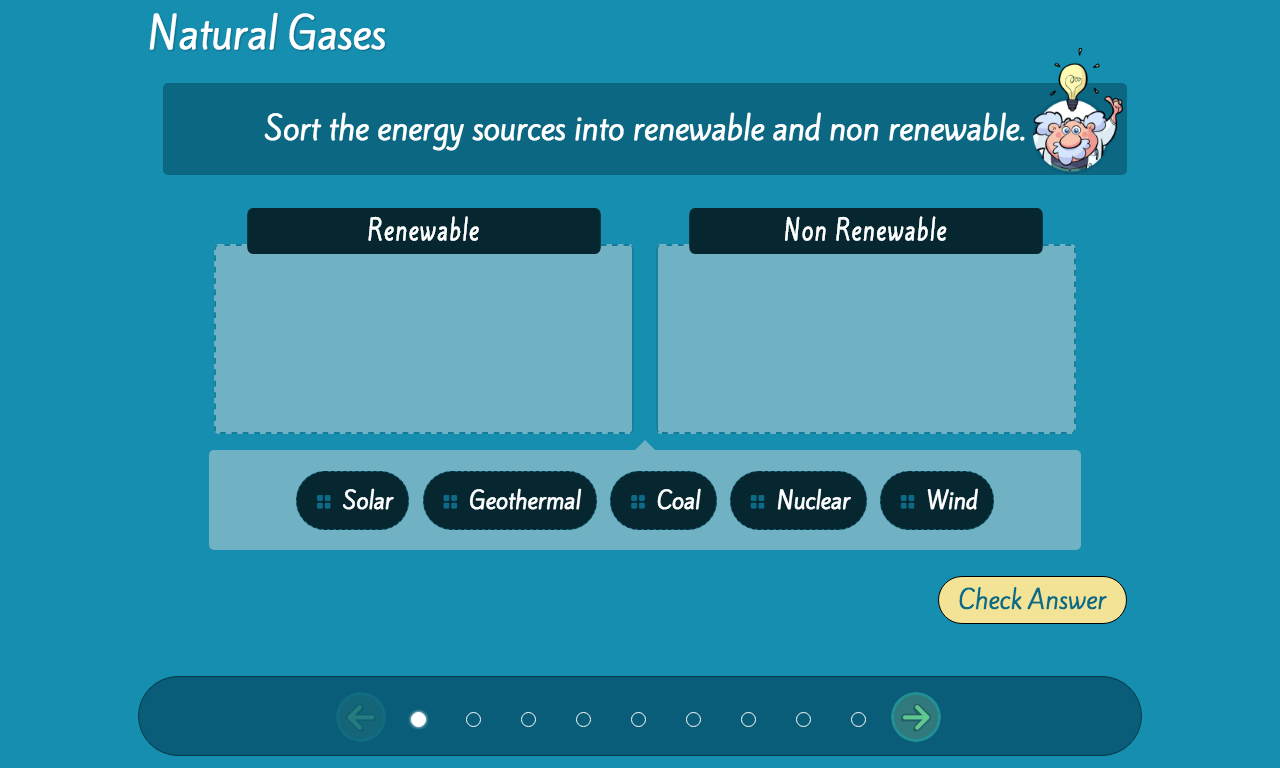
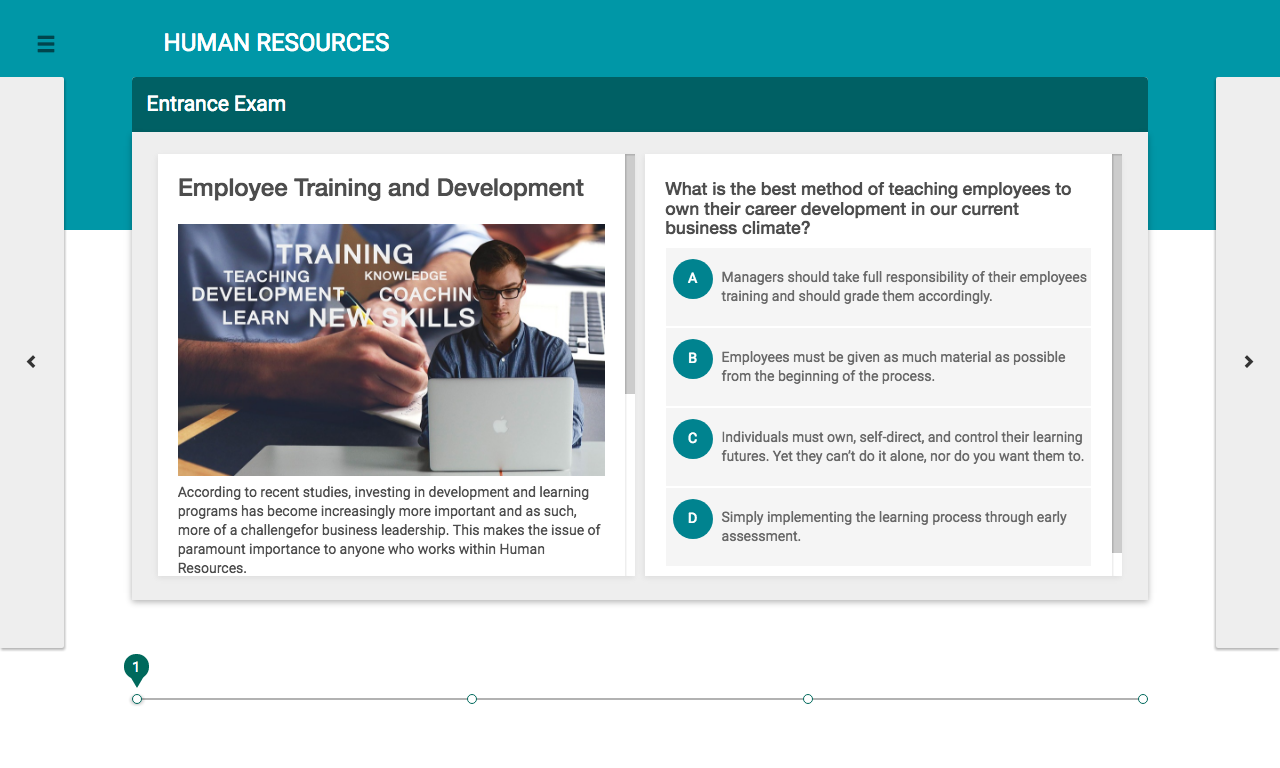
See the following sections for useful selectors for each API.
Questions API
Common selectors
The are a number of common selectors that can be used across all Question types.
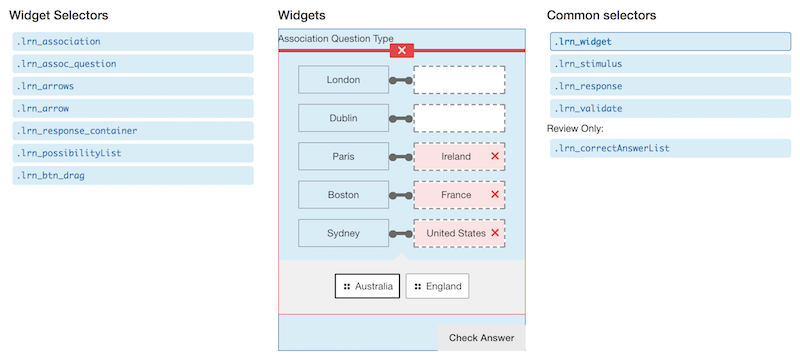
.lrn.lrn_widgetwraps each Question at the top level,.lrn_stimulusis the Question stimulus that is being asked,.lrn_responsetargets the response area for the Question,.lrn_validatewraps the optional "Check Answer" button, and.lrn_correctAnswerList(Review Only) targets the correct answer feedback area.
Question type selectors
It is also possible to target classes of Questions based on their core type - some examples of these are:
.lrn_mcqfor MCQ Question types, including single select (radio) and multi Select (checkbox)..lrn_associationfor association Question type..lrn_clozetextfor cloze text Question type.
The Questions API styling demo has interactive examples of all the available selectors.
Other selectors
There are also a number of components that may be common across Question types, or may be shared across similar Question types. Some examples of these are:
.lrn_cloze_responseResponse area for all cloze types including dropdowns, text input, and drop areas..lrn_possibilityListcontainer area for buttons to be dragged from..lrn_btn_dragdraggable buttons that may contain text, math, or images..lrn_mcqgroup labelMCQ Question labels.
The Questions API styling demo has interactive examples of all the available selectors.
Assess API
The Assess API has a number of selectors that allows it to be targeted easily with CSS, and it uses all the CSS from the Questions API, too.
.lrn.lrn-assesswrapper for the whole Assess player,.lrn-regionthis exists on all regions of Assess when using regions mode,.lrn-top-left-regiontarget the top left region,.lrn-top-right-regiontarget the top right region,.lrn-items-regiontarget the main content area where Items & Questions are displayed,.lrn-right-regiontarget the right hand side region,.lrn-bottom-left-regiontarget the bottom left region,.lrn-bottom-regiontarget the bottom region, and.lrn-bottom-right-regiontarget the bottom right region.
Items API
The Items API is a light wrapper around the Assess or Questions API. Use a different selector depending on which mode is initialized:
- In
inlinemode all Items on will be wrapped with a.lrn.learnosity-itemclass, or - In
assessmode the Assess API will have the.lrn.lrn-assessclass.
Author API
The Author API has the following classes defined at the root level:
.lrn.lrn-authorstandard wrapper class for Author API.
Question Editor API
The Question Editor API has the following classes defined at the root level:
.lrn.lrn-qestandard wrapper class for Question Editor.
The following additional selectors can be used with the Question selection view:
.lrn-qe-tiles-navcontainer for the left hand tile navigation when selecting Question groups..lrn-qe-tiles-listcontainer for the right hand side tiles when selecting a Question.
These additional selectors can be used with the Question edit view:
.lrn-qe-toolbarcontainer for toolbar at top of the editing pane..lrn-qe-col-editcontainer for the editing column..lrn-qe-col-slidercontainer for the slider between the editing and preview columns..lrn-qe-col-previewcontainer for the preview column.
Additional detail is available for the Question Editor on the Question Editor API - CSS Classname Utility page.
Reports API
The Reports API has the learnosity-report at the top level of every report that it renders, and it also includes a class which matches the type of report. For example: sessions-summary or sessions-summary-by-tag which allows for easy targetting of specific report styles.
Last Score by Item by User
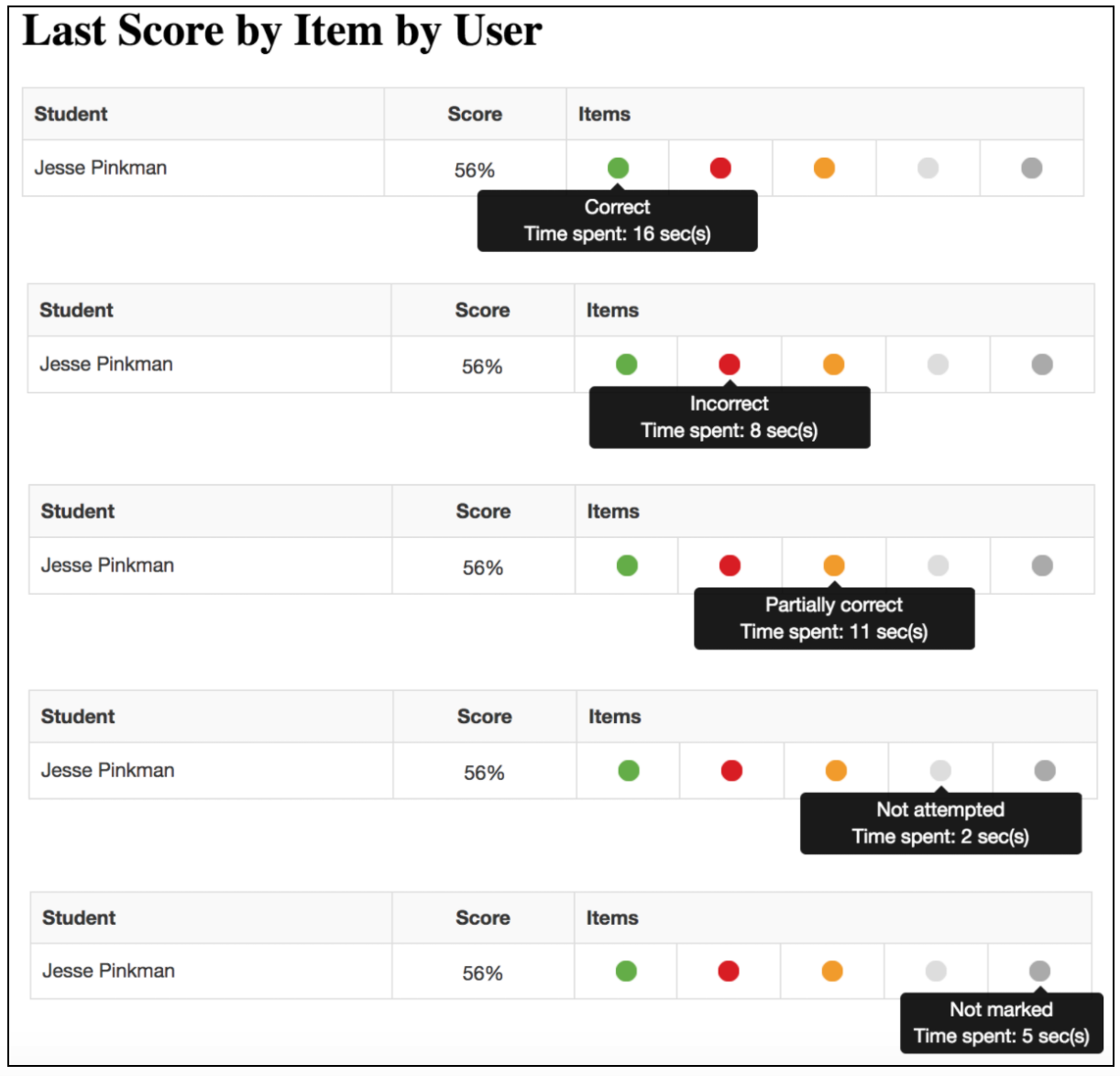
Obtain the latest activity score with a break-down of its constituent items. Hover over Items to see the fine grain score break-down. Below is the color value to each possible outcome and the common selector.
.lrn-circle-correctprovides a green circle to indicate fully correct,.lrn-circle-incorrectprovides a red circle to indicate completely incorrect,.lrn-circle-partialprovides a yellow circle to indicate partially correct,.lrn-circle-not-attemptedprovides a light gray circle to indicate not attempted, and.lrn-circle-not-markedprovides a dark gray circle to indicate not marked.
Keeping your styles up to date
With every Long Term Support (LTS) release for the Learnosity APIs, we often add new features and make adjustments to our products to ensure they meet (or exceed) web accessibility standards. We often try to keep our UI changes to a minimum to reduce the amount of work required when upgrading to a newer LTS version. For more information on keeping up to date with UI improvements, see Viewing Interface Changes Between LTS Versions and our LTS Migration Guides.